Guest Calendar for Premier and Business Accounts
This is an example of what your customers will see, once they click on your 'Book online NOW' link in 'Your Business' website:
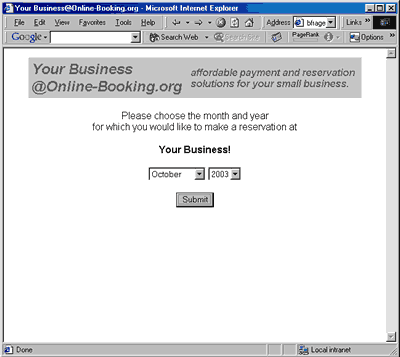
First the customer is
asked in which month he would like to come to 'Your Business':
(by default the choice is on the current month)
Then we show him the available dates for all the units. He can choose any available date as his arrival date:
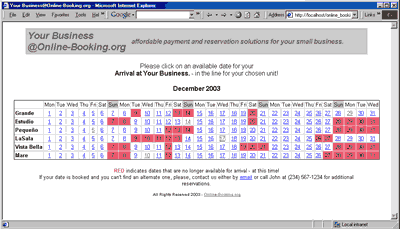
On th bottom of the page your email address, name and phone number is printed, in case the customer does not see his desired dates available and would like to contact you!
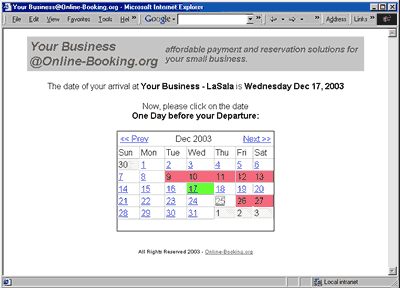
On the next page, the arrival date is shown in green and also clearly written at the top. Now he can choose how long he wants to stay - he has to click the date one day before departure date to do this:
Once he chooses the departure he is taken to a verification page to review his reservation at 'Your Business - UnitName'.
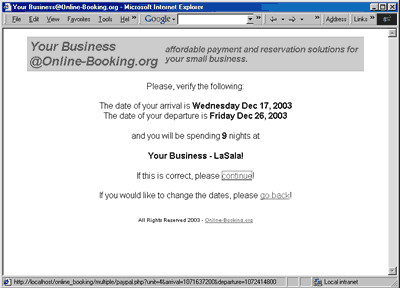
Once he clicks
'continue' he is taken to the final page before PayPal:
(note that Online-Booking.org never asks for any private information of your
customers! - all sensitive information is only processed by PayPal.)
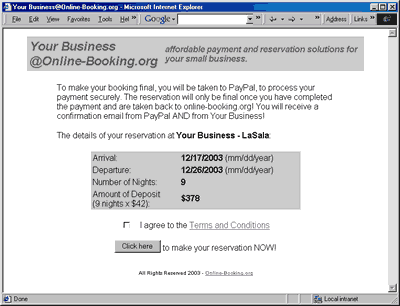
Before the customer is brought to PayPal he has to agree to your cancellation policy, refund of deposits, etc. Clicking on the link will open a window with the 'Terms and Conditions':
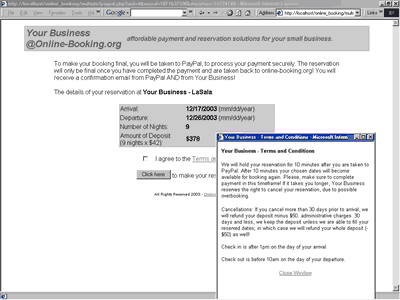
After checking the 'I agree' box and clicking on the submit button, the customer is taken to PayPal.
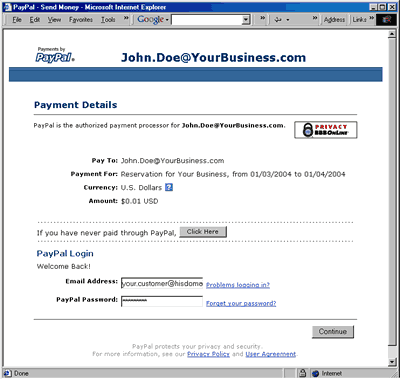
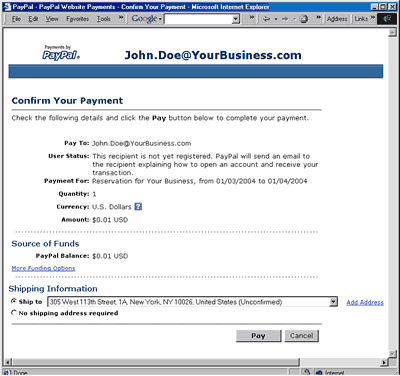
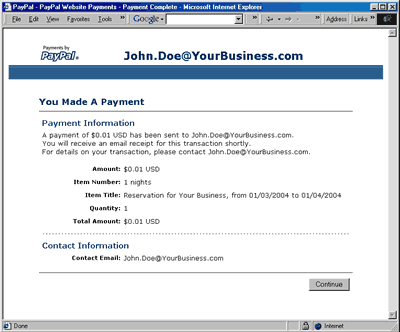
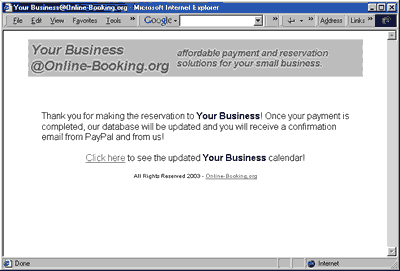
And after completion of payment your customer is taken back to a 'Thank you' page, where he will be prompted to check the availability calendar, to see 'his' booking!
You may try it yourself by booking 'Your Business' for a day or two. It will only cost you a couple of cents and you will experience EXACTLY what your customer hast to do in order to book 'Your Business', once you are a member of Online-Booking.org!